
SOS My English
English speaking practice
Stuck for words?
Help is on the way.
An app for practising spoken English, running on your own machine. Pick a topic, talk it through out loud with an AI partner that answers by voice, and get your English fixed as you go.
Runs onmacOS (Apple Silicon)Windows (64-bit)
Features
Speaking first
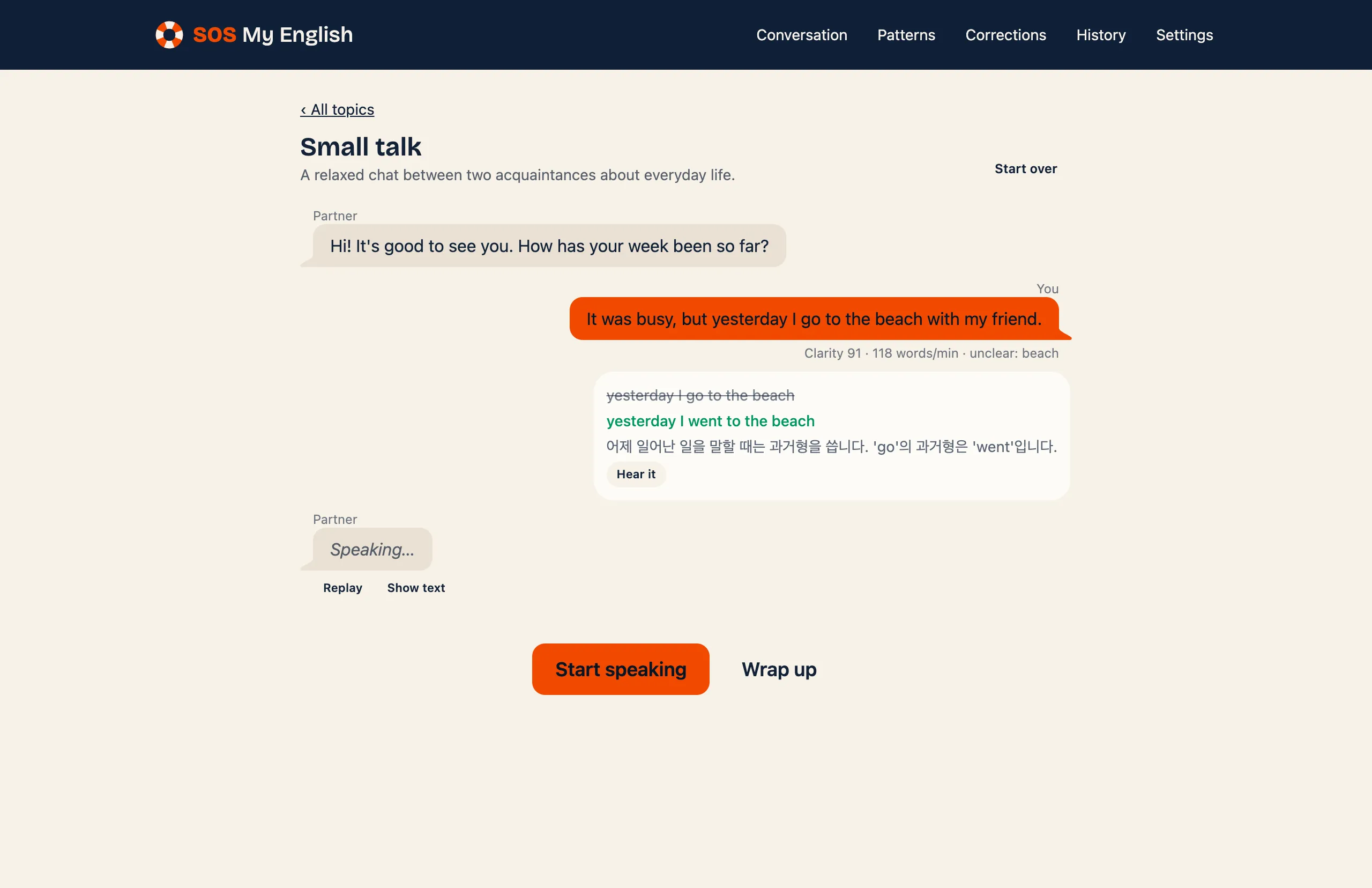
You answer by voice, not by typing; what you said is transcribed for you.
Corrections as you go
After each thing you say, the most valuable fix is shown with the better sentence and why, and you can hear the better sentence.
How clearly you spoke
Each line shows a clarity score, the words that were hard to recognize, and your pace.
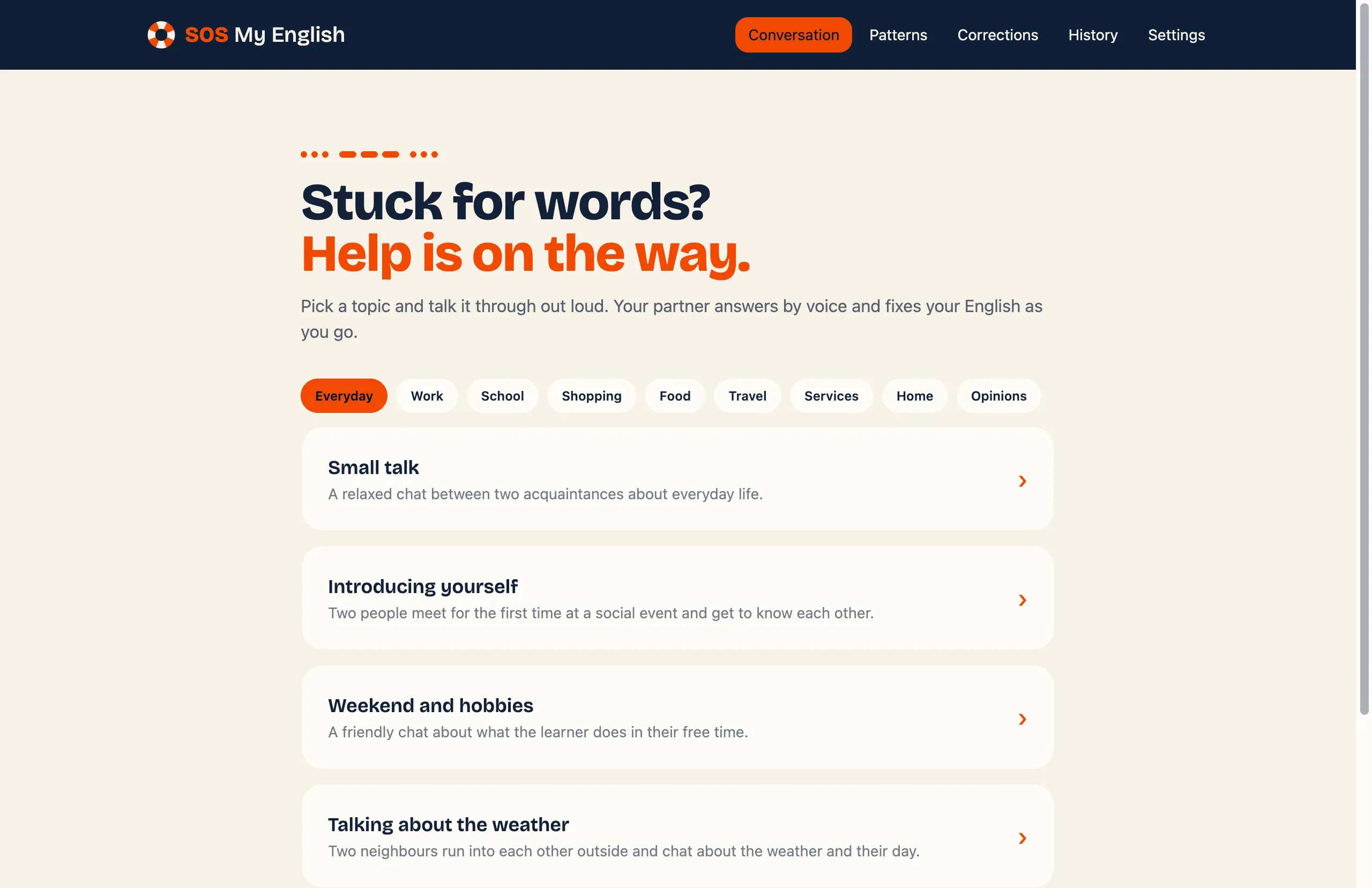
40 topics in 9 categories
Everyday chat, work, school, shopping, food, travel, services, home, and giving your opinion, plus topics of your own.
Sentence patterns by level
100 patterns from A1 to C2. You see a sentence in your own language and say it in English.
Study with YouTube videos
Paste a link and listen one sentence at a time, with repeat, slower speeds, and shadowing.
Practise your corrections
Every fix is collected in one place, where you say the better sentence until it comes out right.
A summary at the end
Wrap up a conversation to see what you did well, what to work on, and expressions to try next time.
Before you start
The AI feedback needs an API key for the provider you choose (Google Gemini, Claude, OpenAI, and more). If you are new to this, Google Gemini has a free tier.
Your data stays on your computer
There is no account and no server. Speech recognition and the voice run on your computer, and your history is kept there.
Installation steps and the full feature list are in the README. README